

You’ll often need to get the magnitude of a vector and you’ll find it useful in a lot of situations when making games.
Magnitude is used when you’re figuring out the distance to a destination or when you need to move to within ‘x’ distance of something or when you want to move a given distance along a line… I could go on. In short, many uses, but here’s an example that find an attack position for a player to move to
First up, getting the magnitude of a Vector is simple math: –

So, the magnitude of a vector m= sqrt(x*x + y*y + z*z)
So, why do we care? Well, assume we have a player at position A and an enemy at position B. We want to move to a position 1 meter from the enemy so we can do an attack (Target)
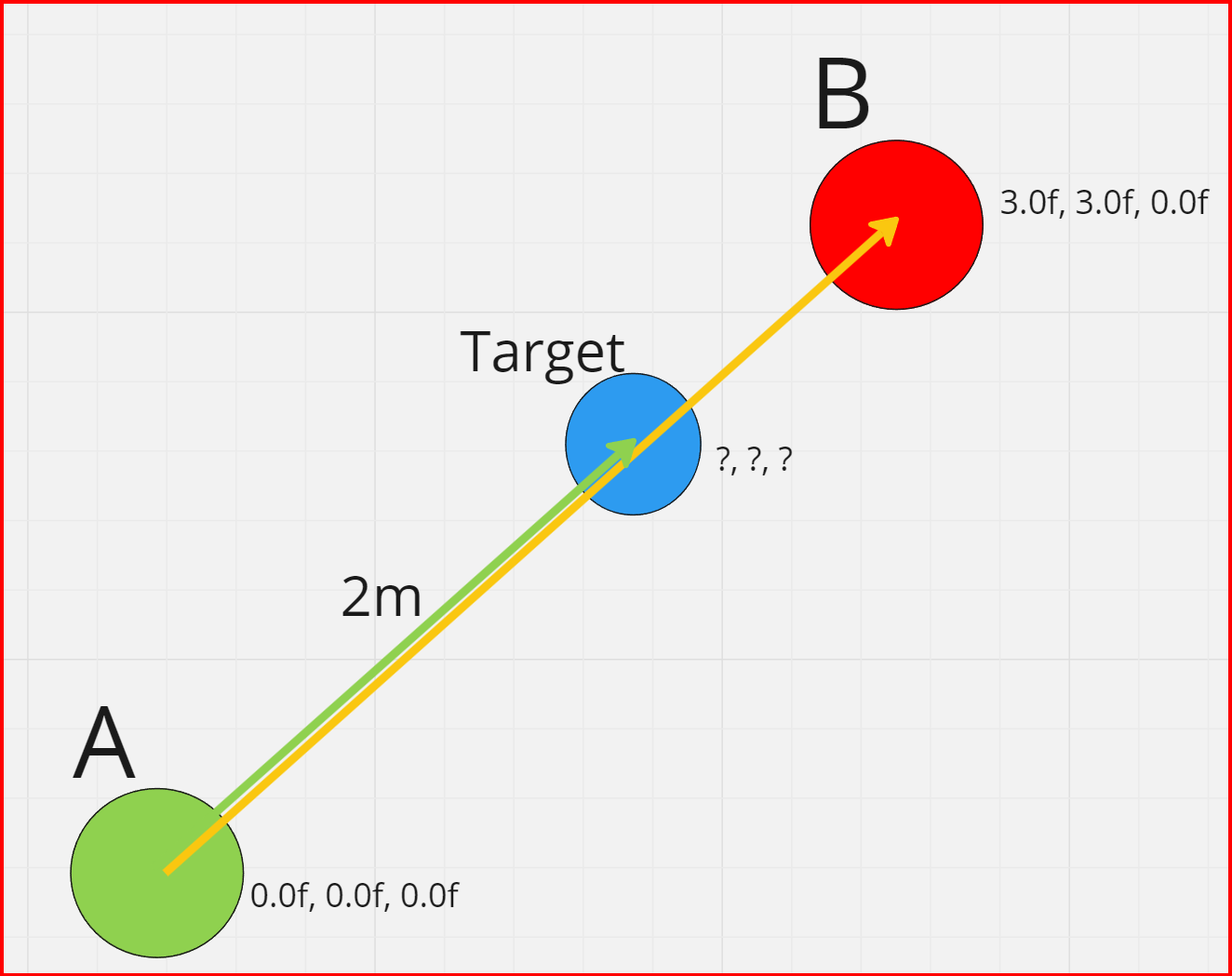
So, the vector from A to B is B-A.
To get the distance from A to B then we need the magnitude of the B-A vector which is…
distance (d) = B-A
float magnitude = sqrt(d.x*d.x + d.y*d.y + d.z*d.z)
This gives us (from the pic above) a magnitude of 4.24264 meters.
So, now we know the distance from A to B, we want to move to a position that’s 1 meter from the enemy along the A to B vector.
To do this, we want to take 1 meter off of the magnitude of the A->B vector. This is, obviously the magnitude of the vector – 1 which gives us 3.24264 meters.
Now we get the “Normalized” length of the A->B vector. This is the length of the vector divided by its magnitude. This gives us a vector with a length of 1 which is also known as a unit vector.
Once we have a unit vector then we can multiply it by the length we want to get a vector of the distance we need; in this case, 3.24264
ok, that was more convoluted that I was hoping for. I’m explaining it in detail and it made it sound more complex than it is. Here’s the example code so you can try it out…
using UnityEngine;

public class Example02 : MonoBehaviour
{
    public Transform m_pointA;
    public Transform m_pointB;
    public Transform m_pointTarget;

    void Start()
    {
        // Set positions for the A and B points
        Vector3 pointA = new Vector3(0.0f, 0.0f, 0.0f);
        Vector3 pointB = new Vector3(3.0f, 3.0f, 0.0f);

        // Set the position of the gameobjects in the scene
        m_pointA.position = pointA;
        m_pointB.position = pointB;

        // Calc distance from A to B
        Vector3 d = pointB - pointA;
        float magnitude = Mathf.Sqrt(d.x * d.x + d.y * d.y + d.z * d.z);

        // Calc the unity vector from A to B
        Vector3 unitVector = d / magnitude;

        // Set the target point to the distance to B - 1 meter
        Vector3 targetPoint = pointA + (unitVector * (magnitude - 1.0f));

        // Set the position of the target point that we want to move to
        m_pointTarget.localPosition = targetPoint;
    }
}
So, when we run this, we get…
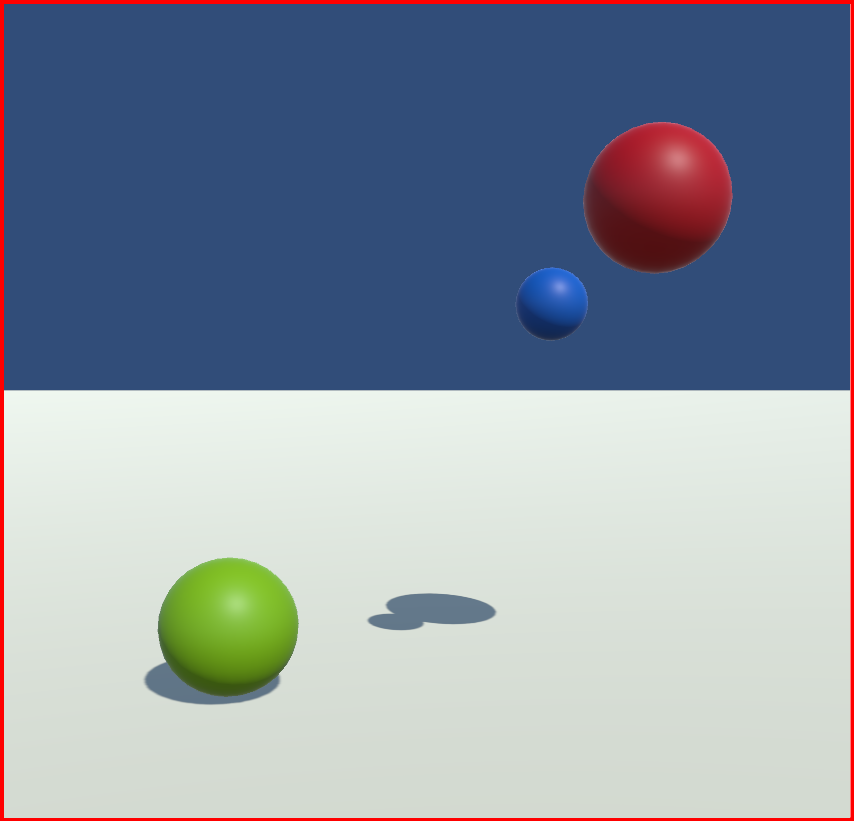
As you can see, the blue sphere is the target point and it gets positioned exactly where we wanted it (1 meter from the enemy)
Check out our post on Using Vectors for Position and Direction and Bouncing Ball
Comment any questions!

 grumpycodedude.com
Leave a comment